Please add your hackathon work under 5_Hackathon_Code/.
Open the Repository
The EDC workspace git-puller link is:
This link will clone the repository if it is not already available in your workspace and open the introductory notebook.
The main Ocean Hackathon repository is:
https://
Fork the Repository
After the repository is open in your workspace, create your own fork of the main repository on GitHub. Your fork will look like:
https://github.com/<your-github-username>/ocean_hackathonGitHub Docs: Fork a repository
Then change the local workspace repository so origin points to your fork:
git remote -v
git remote set-url origin https://github.com/<your-github-username>/ocean_hackathon.git
git remote -v
Keep the main hackathon repository as upstream so you can pull updates:
git remote add upstream https://github.com/ESA-EarthCODE/ocean_hackathon.gitIf upstream already exists, skip that line.
GitHub Docs: Managing remote repositories
Commit Your Work
Run these commands in a terminal, not inside a notebook:
git switch -c <branch-name>
git status
git add 5_Hackathon_Code/
git commit -m "Add hackathon contribution"
git push origin <branch-name>
Choose a short branch name that describes your work, for example add-ocean-analysis-notebook. Your changes are pushed to your fork, not to the main hackathon repository.
GitHub Docs: Pushing commits to a remote repository
You can also commit using JupyterLab’s Git panel:
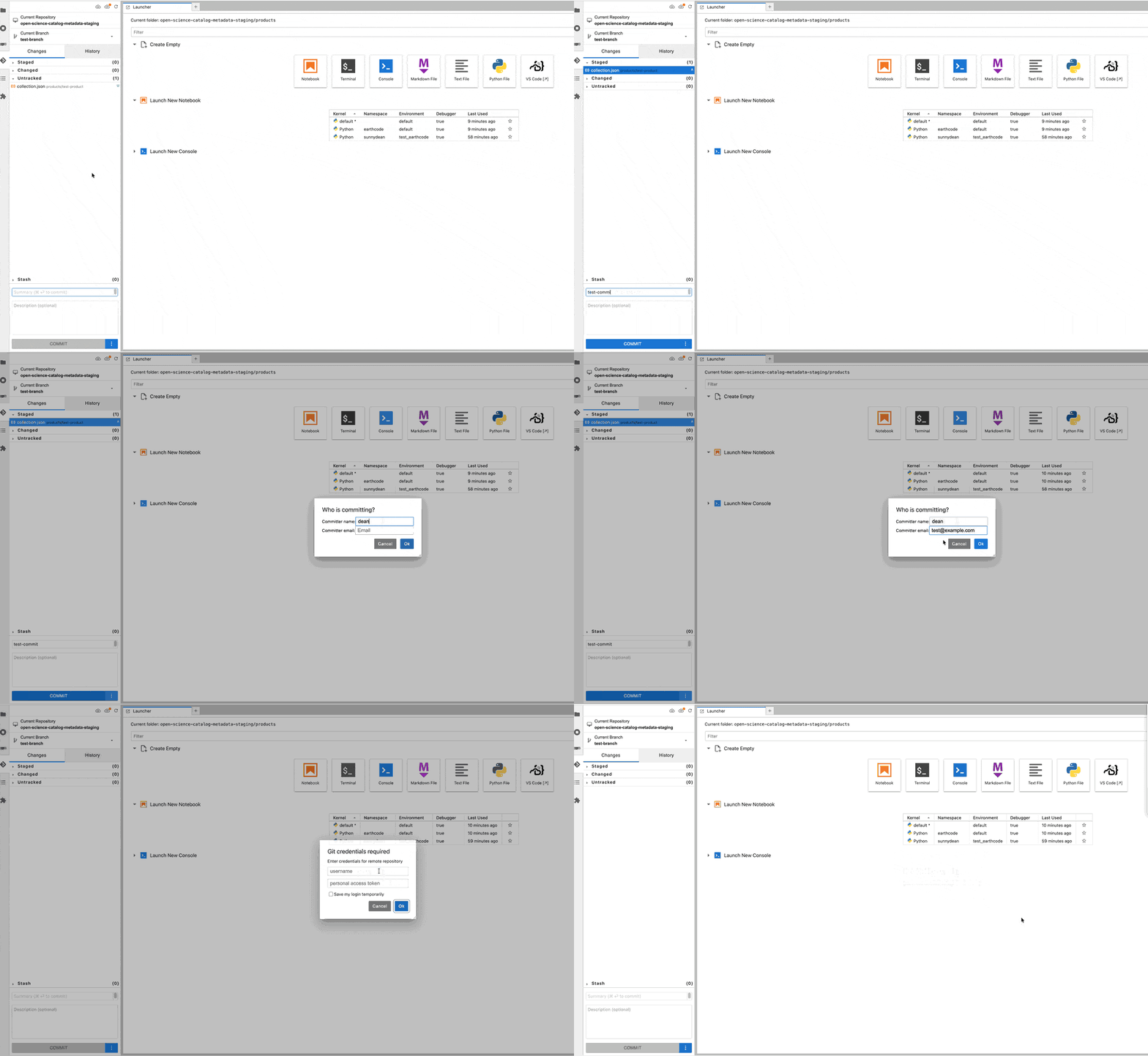
GitHub Authentication
You’ll be asked for a token; you can generate a personal access token for GitHub, the example below shows how to create one.
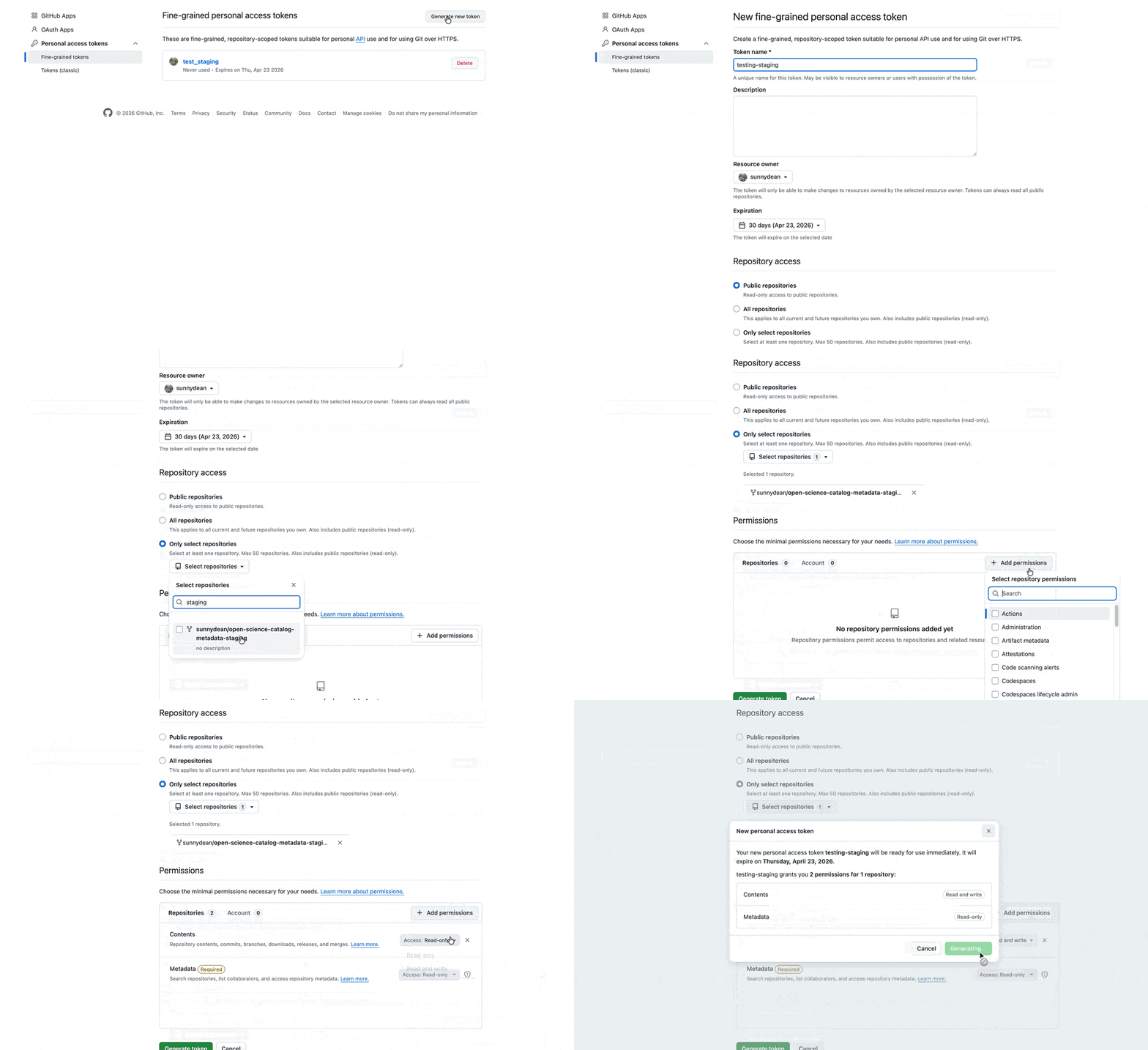
Open a Pull Request
Open a pull request from your fork’s branch into the main Ocean Hackathon repository:
https://
GitHub Docs: Creating a pull request
After creating the pull request, check that it appears in the pull request list and follow up on any review comments.